How Chain Glance Works

Simple, fast, and secure crypto portfolio tracking. No spreadsheets, no manual data entry, no technical expertise required. Just connect your wallets, and Chain Glance automatically tracks your entire portfolio across all blockchains and DeFi protocols—then exports everything for tax reporting in one click.

Here's exactly how it works.

How DeFi Portfolio Trackers Work

Before diving into Chain Glance specifically, it helps to understand how crypto portfolio trackers work in general.

A DeFi portfolio tracker reads data directly from the blockchain to monitor your cryptocurrency holdings. This is possible because blockchain technology is inherently public—every transaction, token transfer, and smart contract interaction is permanently recorded on-chain and accessible to anyone.

When you interact with DeFi protocols—whether you're swapping tokens on Uniswap, providing liquidity on Curve, staking ETH, or buying an NFT—these activities happen through smart contracts. Each action generates a transaction that's broadcast to the blockchain and recorded in a public ledger. Portfolio trackers tap into this public data to reconstruct your complete financial activity.

What a portfolio tracker can see:

  • Wallet balances across all chains
  • Token holdings (ETH, USDC, MATIC, SOL, altcoins, etc.)
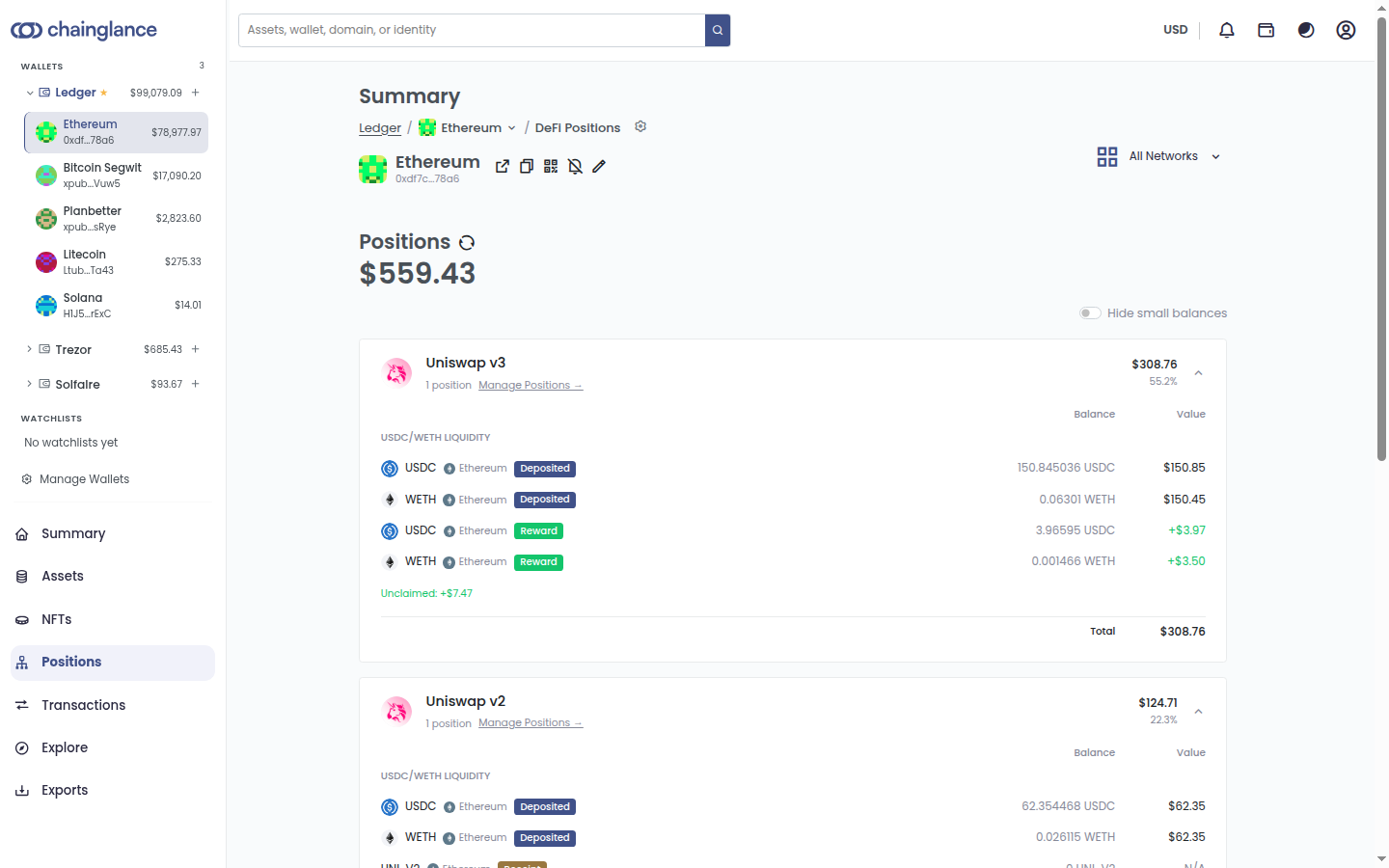
  • DeFi positions (liquidity pools, staking, yield farming)
  • NFT ownership and floor prices
  • Complete transaction history
  • Smart contract interactions

The key security principle:

Portfolio trackers only need your public wallet address—the same information visible on any blockchain explorer like Etherscan or Solscan. This is similar to how anyone can view a home's assessed value by looking up its address, but they can't access the home itself. Your public address shows what you own; your private key controls it.

Chain Glance never asks for private keys, seed phrases, or passwords. We can't move, spend, or access your funds—only view your holdings.

How the technical process works:

  1. 1. You provide your wallet address(es) to Chain Glance
  2. 2. We query blockchain nodes and data sources across all supported chains
  3. 3. We fetch all transactions, token balances, and smart contract interactions associated with your address
  4. 4. Market prices are pulled from price oracles like CoinGecko and CoinMarketCap
  5. 5. Everything is organized, categorized, and displayed in your dashboard
  6. 6. Data updates automatically in real-time as new transactions occur
Flow diagram showing blockchain data flowing through Chain Glance to your dashboard

This read-only approach ensures complete security while giving you comprehensive portfolio visibility.

The 4-Step Process

Getting started with Chain Glance takes less than 2 minutes. Here's the complete process:

1

Connect Your Wallets & Platforms

Setup time: Under 2 minutes per wallet

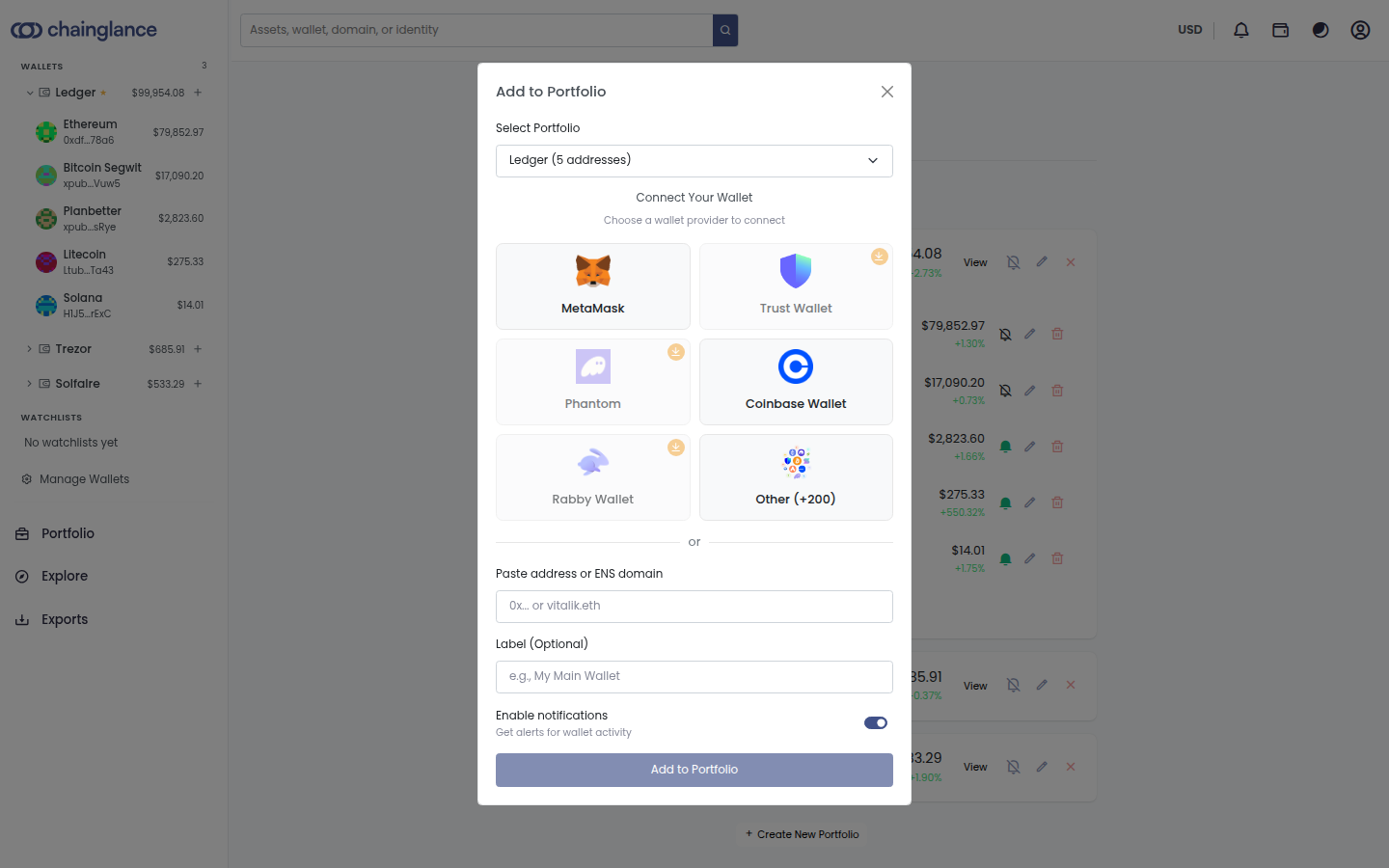
Chain Glance makes connecting your crypto wallets remarkably simple. You have three options:

Method 1: Manual Entry

The simplest approach—just copy your public wallet address from MetaMask, Trust Wallet, Phantom, or any other wallet and paste it into Chain Glance.

Method 2: WalletConnect

For supported wallets, use WalletConnect to establish a read-only connection with one click. Convenient but purely optional.

Method 3: Exchange APIs

For centralized exchanges with read-only API access, connect those accounts to sync exchange balances alongside on-chain holdings.

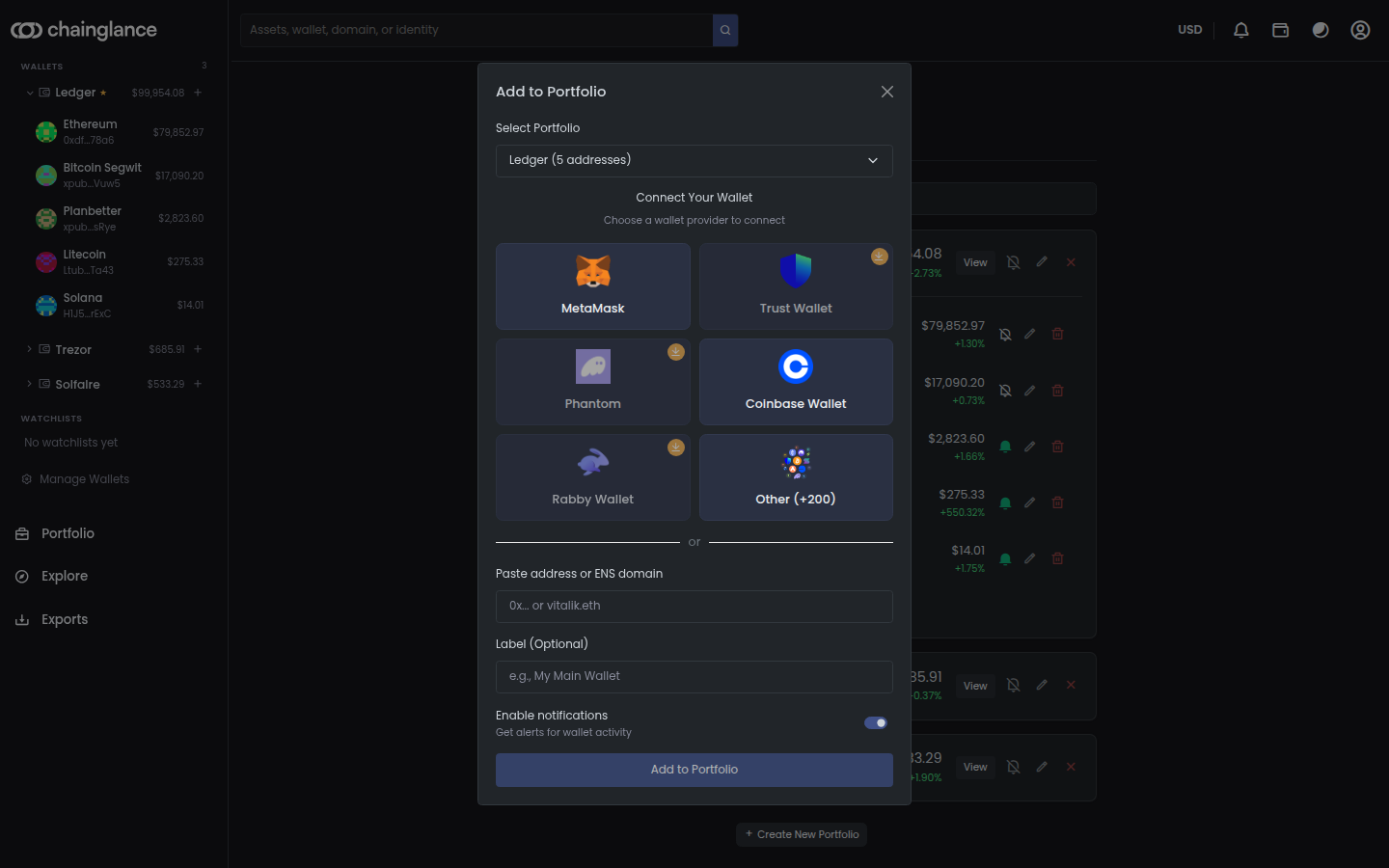
Wallet connection interface showing add wallet options

What Chain Glance Never Asks For:

  • ❌ Private keys or seed phrases
  • ❌ Passwords or PINs
  • ❌ Permission to move funds
  • ❌ Access to your wallet software

What This Means: Your cryptocurrency remains 100% under your control. Chain Glance operates in read-only mode—we can view your portfolio but cannot execute transactions, move assets, or access your funds in any way.

What You Can Connect:

Non-custodial wallets:

MetaMask, Trust Wallet, Coinbase Wallet, Phantom, Exodus, Rainbow, Argent—any wallet with a public address

Hardware wallets:

Ledger and Trezor addresses can be added directly (just the public address, not the device itself)

Multiple addresses:

Track as many wallets as your plan allows (1 on Free, 10 on Personal, 25 on Trader)

Cross-chain wallets:

Add addresses from Ethereum, Solana, Polygon, BSC, Arbitrum, and 50+ other blockchains

2

Automatic Data Sync

Once your wallets are connected, Chain Glance immediately begins fetching data. You don't import CSVs, you don't manually enter transactions, you don't do anything. Everything happens automatically in the background.

Here's what Chain Glance automatically pulls:

Token Balances
  • • Native blockchain tokens (ETH, SOL, MATIC, BNB, AVAX)
  • • All ERC-20, BEP-20, and SPL tokens
  • • Stablecoins (USDC, USDT, DAI, FRAX)
  • • Wrapped tokens (WETH, WBTC, stETH)
DeFi Positions
  • • LP tokens from Uniswap, SushiSwap, Curve
  • • Staked assets and liquid staking derivatives
  • • Lending/borrowing on Aave, Compound
  • • Yield farming and vault positions
NFT Holdings
  • • All ERC-721 and ERC-1155 NFTs
  • • Collection metadata and images
  • • Floor price estimates
  • • Ownership verification
Transaction History
  • • DEX swaps and trades
  • • Protocol deposits and withdrawals
  • • NFT transactions
  • • Gas fees for every transaction
Hub diagram showing data flowing from blockchain explorers, DeFi protocols, and price feeds into Chain Glance

Sync Frequency:

New transactions

Real-time (1-2 minutes after confirmation)

Balance updates

Every 5-30 min (Free: 30 min, Personal: 15 min, Trader: 5 min)

Market prices

Every 60 seconds

Once set up, everything happens automatically. Just open your dashboard anytime to see your complete, up-to-date portfolio.

3

Smart Categorization & Tracking

Raw blockchain data is messy and difficult to interpret. Chain Glance doesn't just display transactions—we automatically label and categorize everything for clarity and tax compliance.

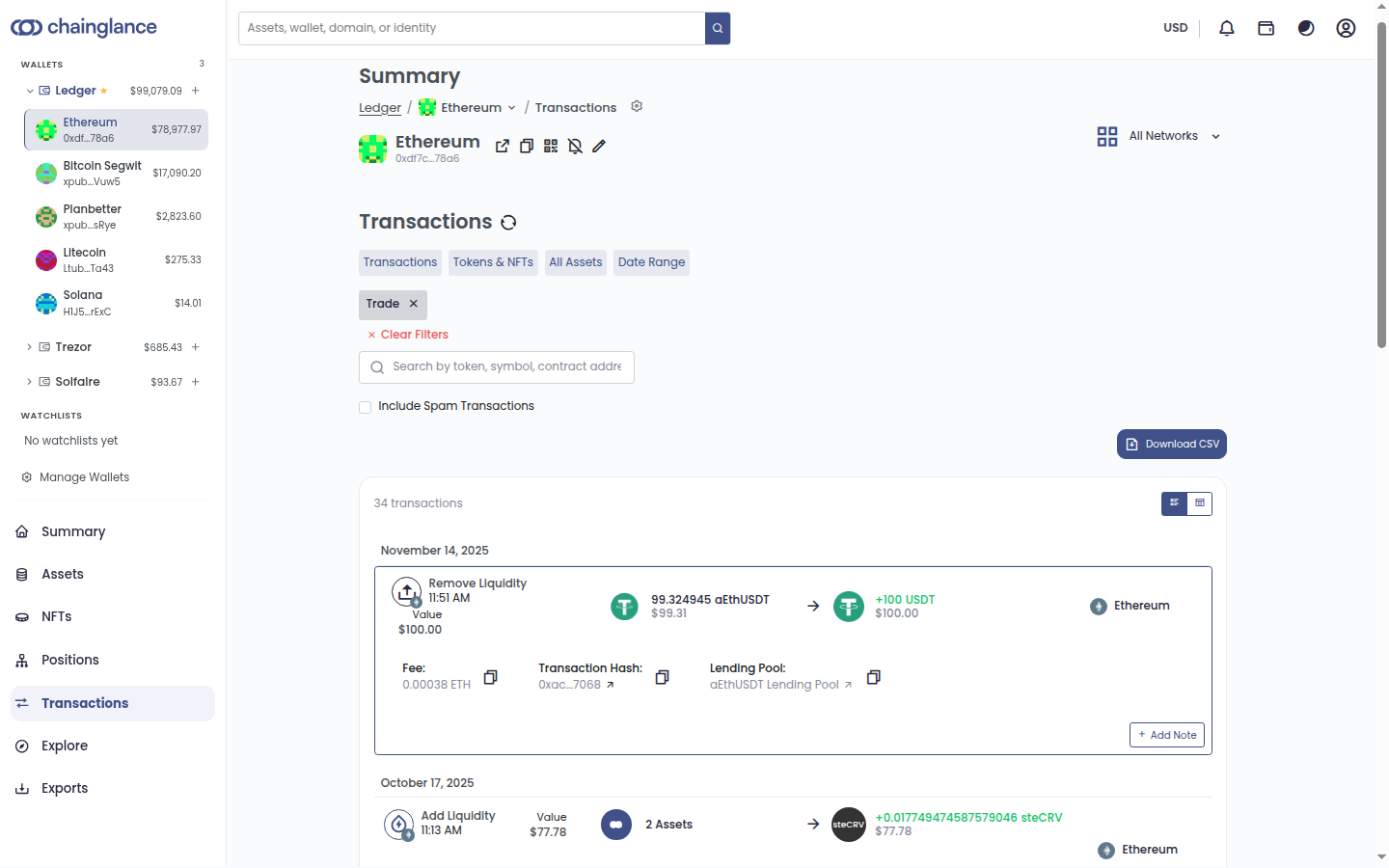
Transaction Types We Automatically Detect:

Trades & Swaps

DEX swaps on Uniswap, SushiSwap, PancakeSwap, Curve, 1inch

Transfers In/Out

Receiving or sending crypto to other wallets

DeFi Deposits

Adding liquidity to pools, depositing to lending protocols

DeFi Withdrawals

Removing liquidity, withdrawing from protocols

Staking

Locking tokens for rewards

Claiming

Collecting staking rewards, airdrops, or farming yields

NFT Transactions

Mints, purchases, and sales

Bridging

Moving assets between chains

Expenses

Gas fees, protocol fees, and other transaction costs

Transaction detail view showing automatic categorization of a DEX swap

Advanced Tracking Features:

Historical Price Matching:

Every transaction is matched with accurate USD values at the time of the trade. When you swapped 1.5 ETH for USDC back in March, Chain Glance records the exact ETH price at that moment—not today's price.

Fee Tracking:

All gas fees are automatically recorded for every transaction. In many jurisdictions, these fees are deductible or reduce your capital gains.

Why This Matters:

This automatic categorization saves you hours during tax season and ensures accuracy. No manual spreadsheet work. No trying to remember transaction details from six months ago.

4

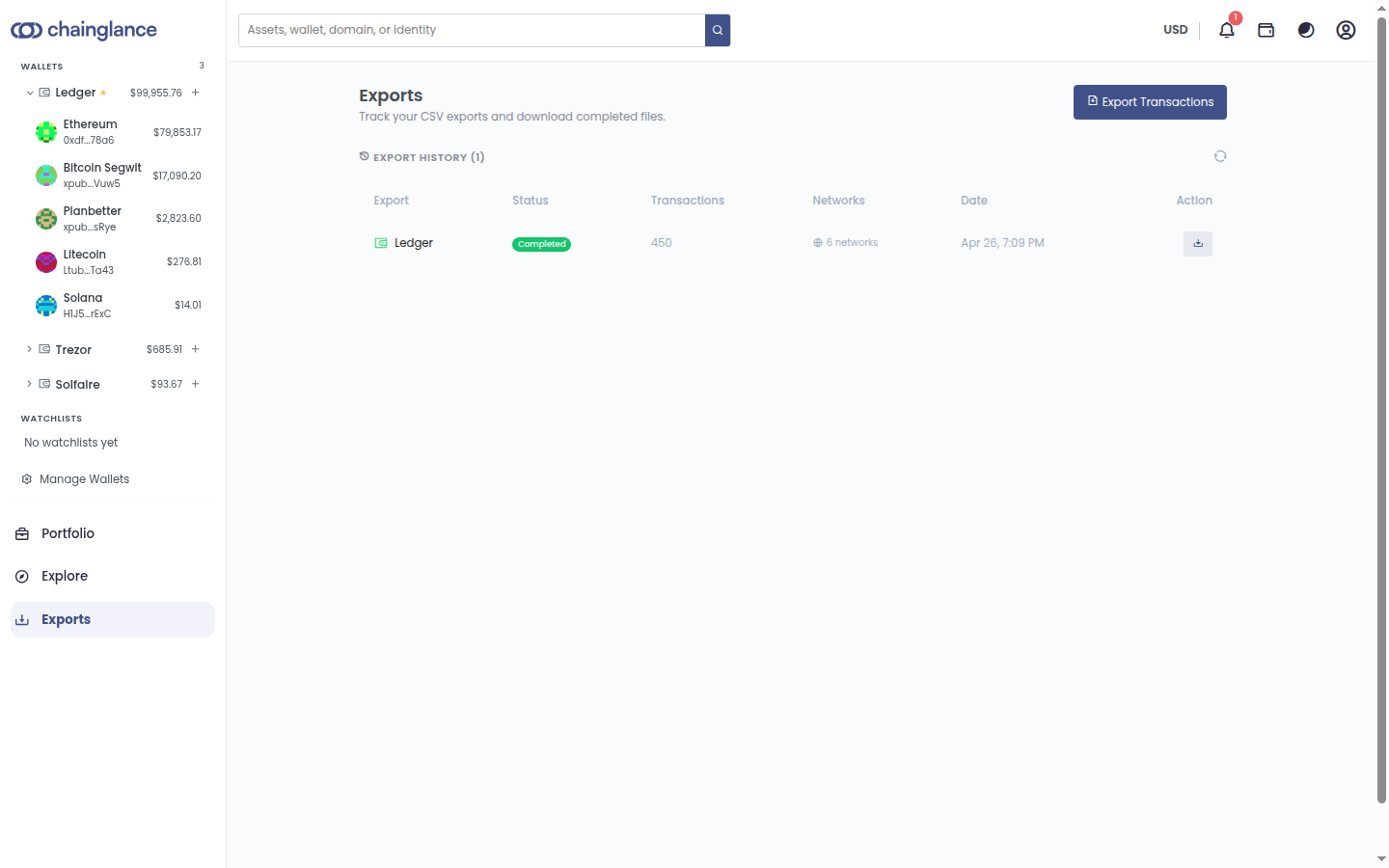
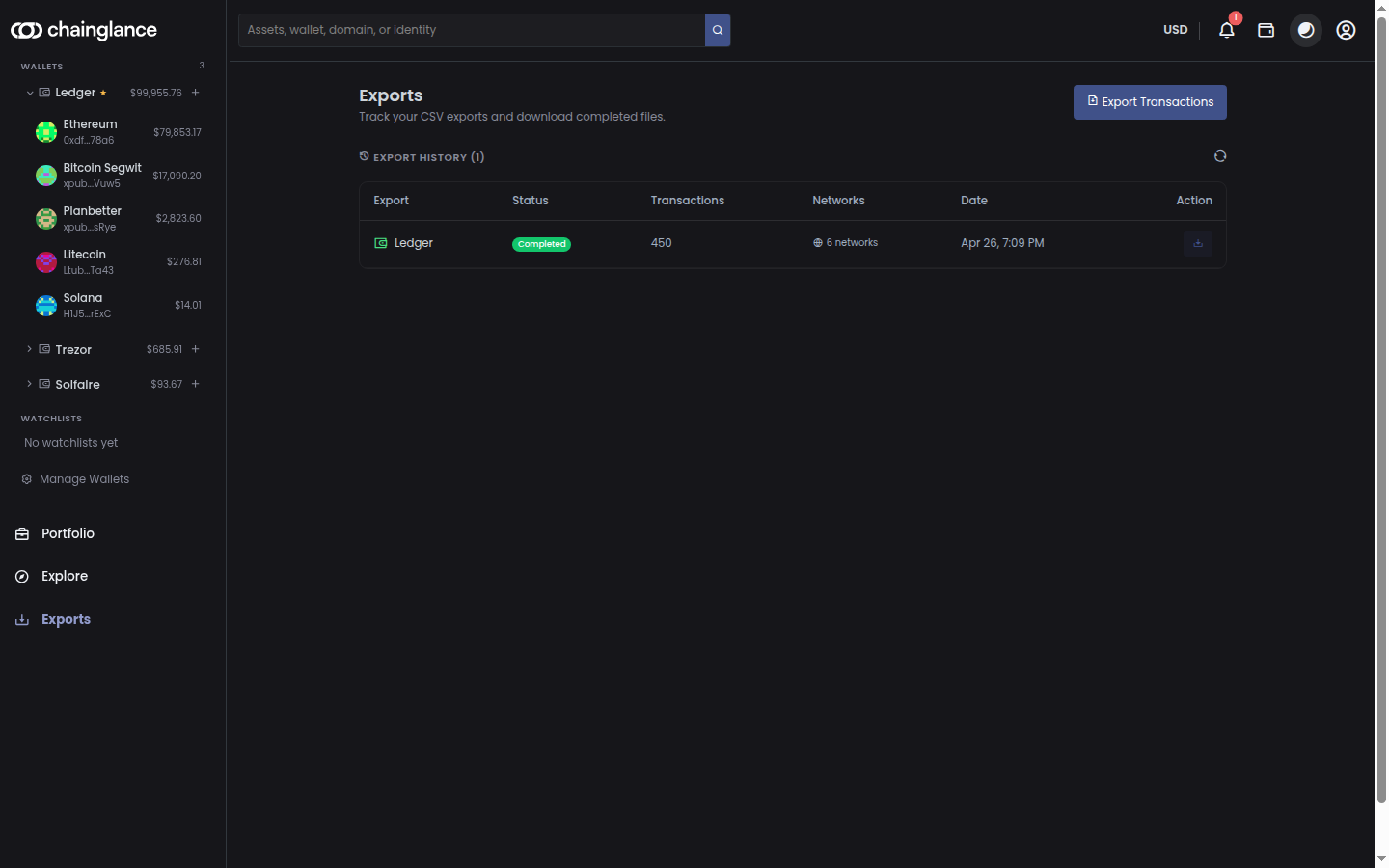
Visualize & Export

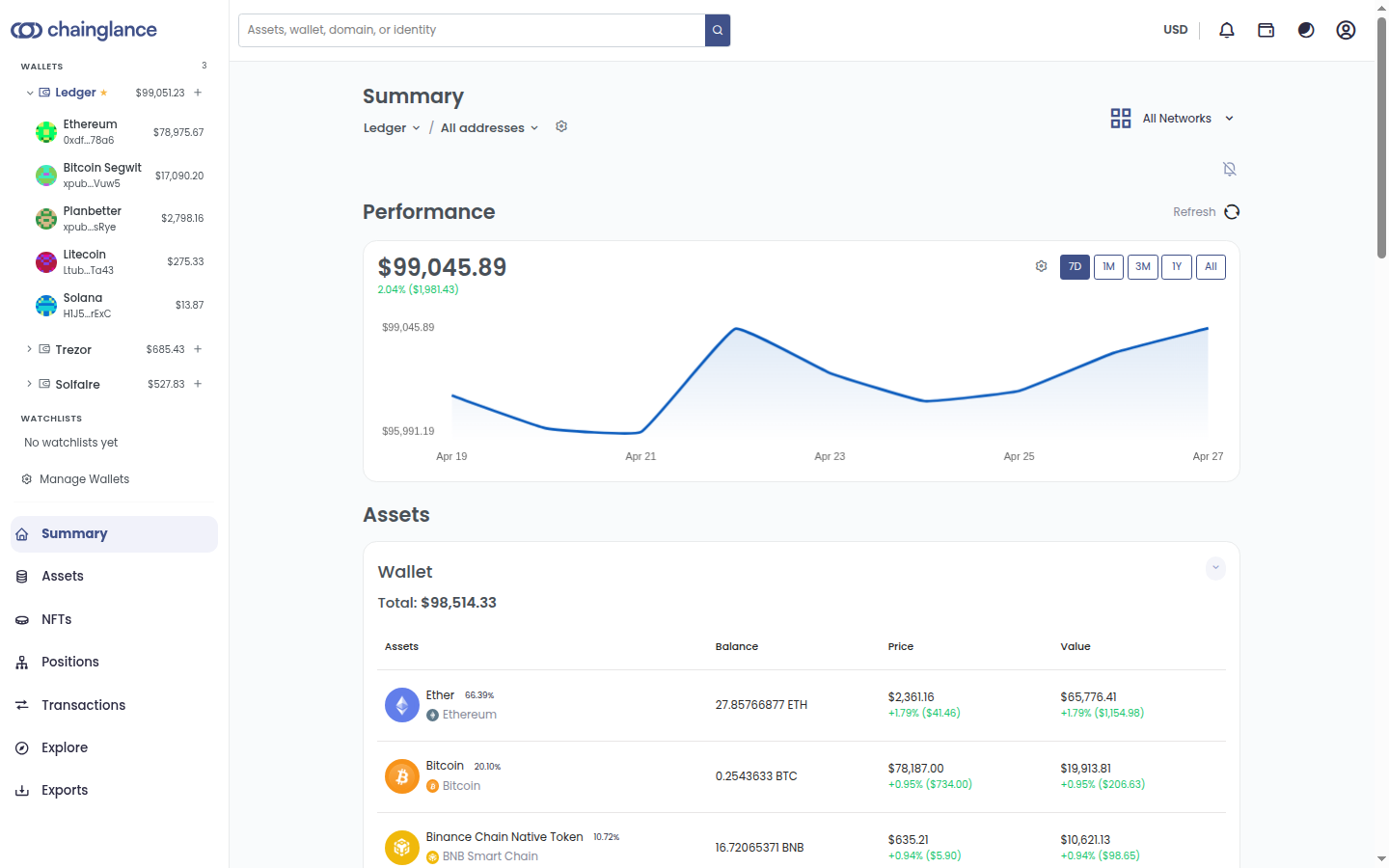
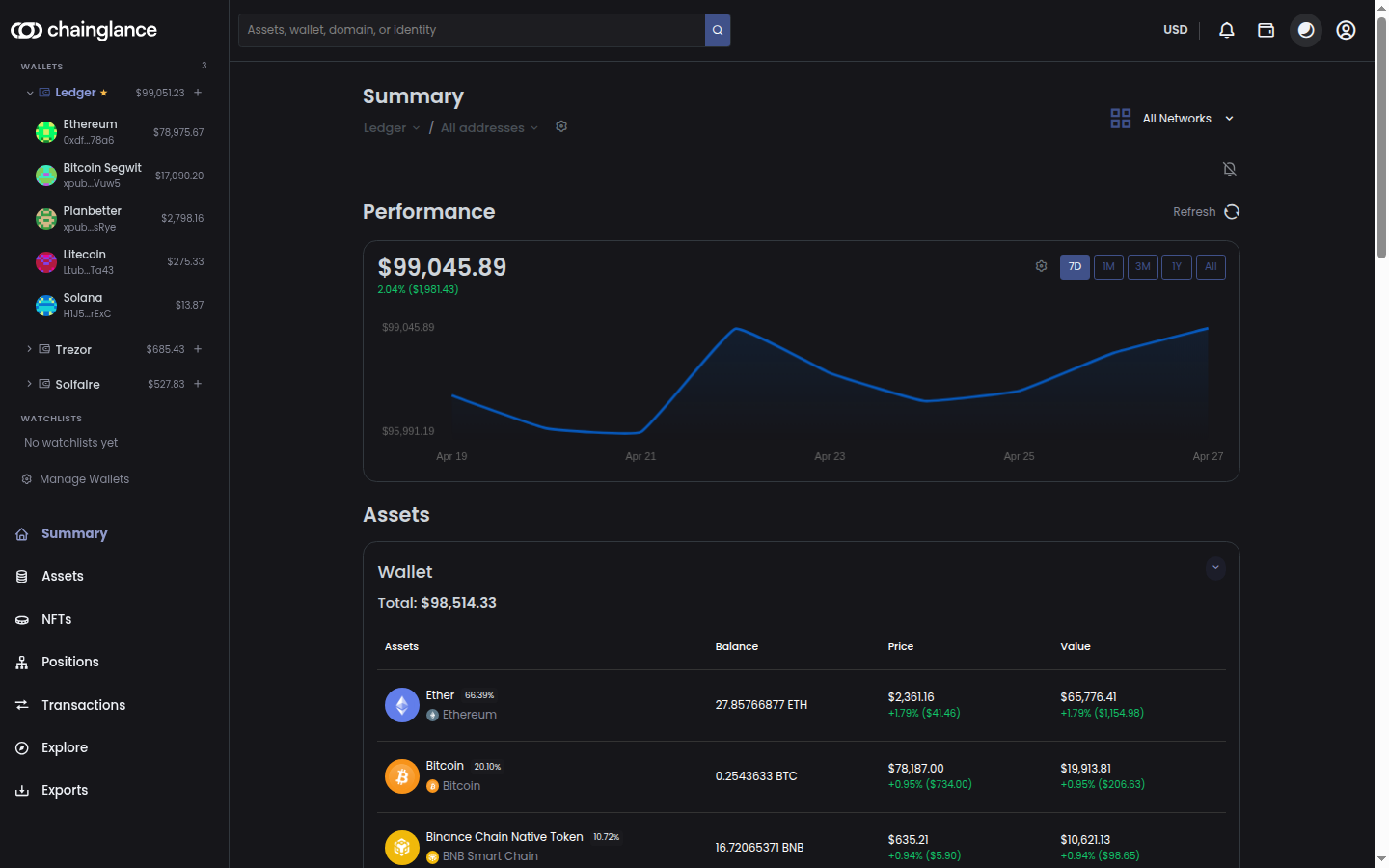
After Chain Glance organizes your data, view your portfolio summary, by position, assets or transaction.

Comprehensive portfolio dashboard showing total value, asset allocation, and performance charts

Your Dashboard Includes:

Portfolio Overview
  • • Total portfolio value
  • • Historic values
  • • Asset allocation by type and blockchain
  • • Top holdings by value
  • • Net worth tracking over time
Historical Performance
  • • Interactive portfolio value chart
  • • Performance across different time periods
  • • Asset-level tracking with current values
  • • DeFi position details with APYs

CSV Export

Bitcoin.Tax Integration:
  1. 1. Export your transactions from Chain Glance as CSV
  2. 2. Import the CSV file into Bitcoin.Tax using their Chain Glance importer
  3. 3. Bitcoin.Tax processes your data and generates tax forms
  4. 4. File your crypto taxes with confidence
Learn more about tax exports →
Export Customization:
  • Date range: Select a specific tax year or custom date range
  • Wallet selection: Export all wallets or specific addresses
  • Transaction filters: Include or exclude certain transaction types

Why This Approach Works

Effortless Setup

No complex integrations. Just paste your wallet addresses and you're done in under 2 minutes.

Complete Coverage

Track tokens, DeFi positions, NFTs, and more across 50+ blockchains in one unified dashboard.

Reliable Accuracy

Data pulled directly from the blockchain ensures mathematical accuracy. You can trust the numbers.

Tax-Ready Design

Built for tax compliance from the ground up. When tax season arrives, you're already prepared.

What Makes Chain Glance Different

FeatureChain GlanceManual SpreadsheetsOther Trackers
Auto-sync✅ Real-time❌ Manual entry✅ Yes
DeFi positions✅ Deep tracking❌ Very difficult⚠️ Limited
Multi-chain✅ 50+ chains❌ Per-chain work⚠️ Fewer chains
Tax export✅ CSV for Bitcoin.Tax❌ Manual⚠️ CSV only
NFT tracking✅ Full support❌ Not possible⚠️ Basic
Setup time✅ 2 minutes❌ Hours✅ 5-10 minutes
Accuracy✅ 95%+⚠️ Prone to errors⚠️ ~80%
Historical data✅ Complete❌ Limited⚠️ Often limited
Protocol coverage✅ 500+ tracked❌ Not feasible⚠️ Varies

Most portfolio trackers handle simple scenarios adequately—a few tokens in a single wallet. But when you're active in DeFi with positions across multiple protocols and chains, you need a tracker built specifically for that complexity. Chain Glance delivers the deep protocol coverage, multi-chain support, and tax-ready design that DeFi power users require.

Frequently Asked Questions

How long does setup take?

Usually less than 2 minutes per wallet. Enter your public address, and Chain Glance immediately begins syncing. Adding 5 wallets takes about 10 minutes total.

Will I see real-time prices?

Yes, market prices update every 60 seconds from CoinGecko and CoinMarketCap. Your portfolio value reflects current market conditions with minimal delay. Trader tier includes 5-minute refresh + real-time mode for instant updates.

Can I edit transactions before exporting for taxes?

Yes, you can review and adjust transaction labels or add notes before generating tax exports. While Chain Glance's automatic categorization is highly accurate, you maintain control to make manual corrections when needed.

How do you handle DEX swaps from Uniswap and other decentralized exchanges?

Chain Glance detects DEX swaps automatically by monitoring smart contract events. When you swap tokens on any DEX, the transaction generates specific event logs that identify the tokens exchanged, amounts, and prices. We parse these events to accurately record your trades.

What about bridged tokens—when I move ETH from Ethereum to Polygon?

Bridge transactions are tracked correctly across chains. Chain Glance maintains accurate records when assets move between blockchains and doesn't double-count the same assets on different chains.

Do you track gas fees?

Yes, all gas fees are automatically recorded for every transaction. These fees appear in your transaction history and can be included in tax exports. In many jurisdictions, gas fees are deductible or reduce your capital gains.

Can I delete my data?

Yes, you can disconnect wallets and delete all associated data at any time from your account settings. When you remove a wallet, all transactions and position data for that address are permanently deleted from our systems.

How accurate is the automatic categorization?

Chain Glance achieves 95%+ accuracy on transaction categorization by analyzing smart contract interactions, token flows, and protocol patterns. However, you should always review your transactions before filing taxes. Edge cases and unusual DeFi strategies may occasionally require manual adjustment.

Ready to See How It Works for Your Portfolio?

Connect your first wallet and see your complete crypto portfolio—tokens, DeFi positions, NFTs, and all—in under 2 minutes.

No credit card • No private keys • Set up in seconds